
Your subscriptions, all in one register
Set rent, Spotify, and the gym once. Skip a month when the gym closes. No bank login, no account, just a register you keep current and a yearly total at the end.


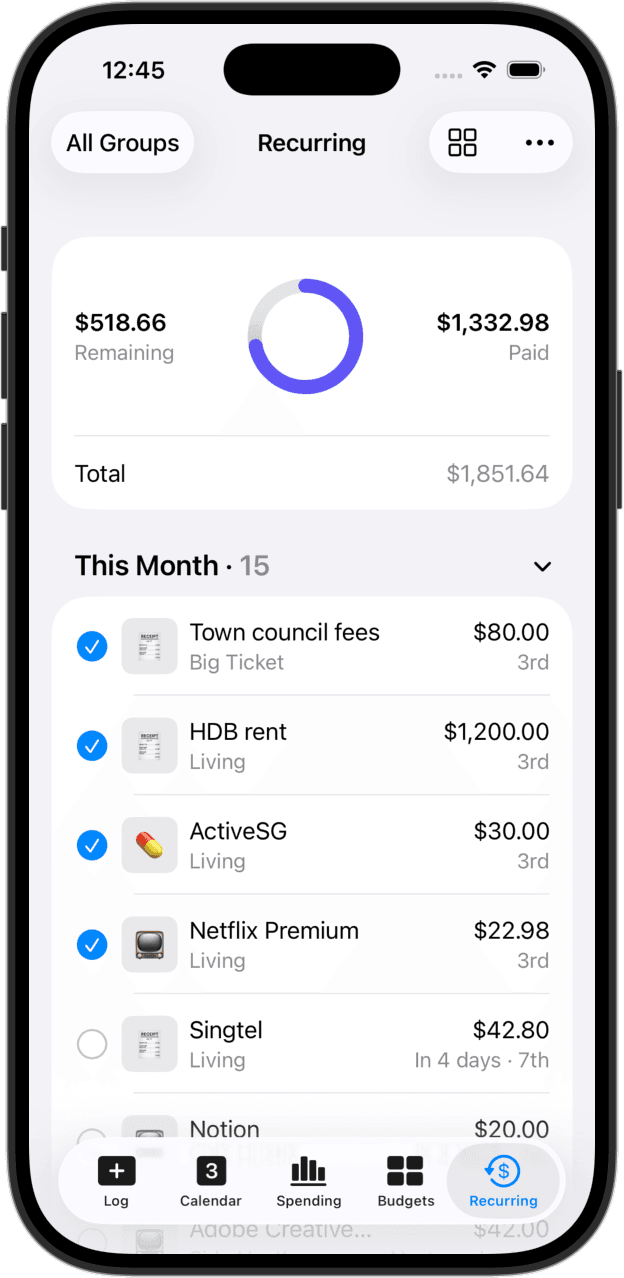
Set once. They show up on schedule.
Configure each subscription with its frequency, anywhere from weekly to yearly. They line up in the Recurring tab so you can see what's coming this month and what just hit, without logging anything by hand.
A nudge before the bill is due
Pick a default lead time, the day of, a day before, three days, or a week, and override per bill when one needs more notice. Bills falling on the same day collapse into a single notification. Set per device. Plus.
What's next, on the home screen
The Upcoming Recurring widget shows the next three bills with relative dates, so you see what's coming this week without opening the app. Tap to land in the Recurring tab.
Skip a month without breaking the year
Gym shut for the month? Trial extended? Skip a single occurrence and the template stays intact. Adjust the amount for one cycle when an annual renewal hits a different price. The yearly total stays honest either way.
See what the year costs
Weekly, monthly, and yearly reports roll subscriptions up alongside everything else, so you can see what your recurring outflow really adds up to before you sign up for one more thing.
A budget that knows about your bills
Set a budget that includes recurring entries, or exclude them to track only the discretionary side. Either way, progress updates in real time as bills hit.
No bank login. No account.
CashJot doesn't read your bank statements and doesn't try to. Your subscription register lives on your device and syncs through your own iCloud. Nothing leaves, nothing is shared, no third party sees what you're paying for.
Frequently asked
Can CashJot find subscriptions I forgot about?
No. CashJot doesn't connect to your bank or read statements. It's a place to keep track of the subscriptions you already know about, not a way to discover hidden ones. The trade-off: nothing leaves your device, there's no account, and no third party sees what you pay for.
What if my rent or a subscription price goes up?
End the current recurring on the date the price changed, and start a new one at the new amount. That keeps last year's history at the old price and this year's at the new one, so reports stay accurate. For one-month changes (a gym fee waived, a single upgraded Spotify cycle), override just that occurrence instead.
Can I skip a single month?
Yes. Each occurrence can be skipped on its own without touching the template. You can also override the amount for a single occurrence, which is useful when an annual renewal hits or a service runs a one-month promo.
Does CashJot pay my bills automatically?
No. CashJot is a register, not a payment processor. It tells you what's coming, what you've already paid, and what it all adds up to over the year. You pay through your bank or the service itself.
Will the reminder follow me to my iPad?
Reminders are set per device. If you want notifications on both your iPhone and iPad, turn them on in each. The list of recurring entries itself syncs through iCloud; the per-device toggle just decides where the nudges land.
Do I need CashJot Plus to track subscriptions?
Up to 3 recurring entries are available for free. To track more than that, set budgets, see weekly and yearly reports, or export to CSV, you'll want CashJot Plus. It's a yearly subscription or a one-time lifetime purchase.
Private. Built for the way bills work.